Sovereign Play iOS App: Can iPhone Users Download It?
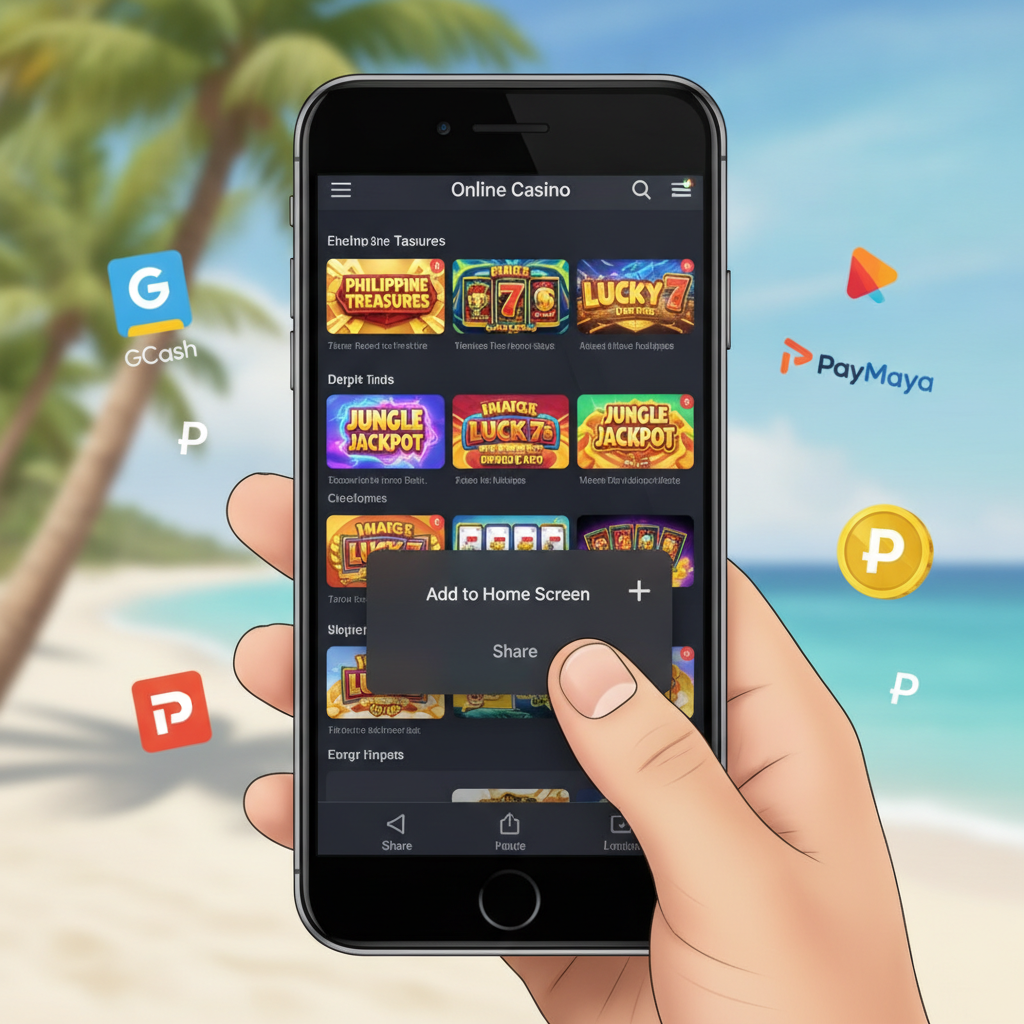
Does Sovereign Play Offer a Native iOS App?
As of now, Sovereign Play does not offer a dedicated native app for iPhone or iPad in the Apple App Store. The platform operates primarily through its mobile-optimized website, which works on Safari and other iOS browsers.
Many online casinos serving the Philippines market skip the App Store route because Apple's guidelines restrict real-money gambling apps in most regions. Instead, Sovereign Play relies on a responsive mobile site that adjusts to your iPhone screen size and works directly in your browser.
If you see third-party apps claiming to be Sovereign Play in the App Store, avoid them—these are not official and may be phishing attempts or scams.
Using Sovereign Play as a Web App on iPhone
While there's no standalone iOS app, you can add the Sovereign Play mobile site to your iPhone home screen. This creates a shortcut that looks and behaves much like a native app, letting you launch the casino with one tap.
Steps to add Sovereign Play to your home screen:
- Open Safari on your iPhone and go to the Sovereign Play mobile site.
- Log in to your account (or browse as a guest to test the layout first).
- Tap the Share button at the bottom of Safari—it looks like a square with an arrow pointing up.
- Scroll down in the menu and tap Add to Home Screen.
- Edit the name if you like (the default is usually the site name), then tap Add in the top right.
The Sovereign Play icon will now appear on your home screen alongside your other apps. Tapping it opens the casino in a Safari window without the usual browser UI—no address bar or tabs cluttering the screen.
This home-screen bookmark is technically a progressive web app (PWA). It doesn't install files on your device the way an Android APK does, but it offers a cleaner, app-like experience.
How the Mobile Browser Version Performs on iPhone
Sovereign Play's mobile site is built to work smoothly on iOS devices, especially iPhones running recent versions of Safari. Most players find the browser version handles core tasks—deposits, withdrawals, game loading, and live betting—just as well as the Android APK.
Key features available on iPhone:
- Full access to slots, jackpot games, and live dealer tables
- Sports betting on PBA, NBA, and volleyball matches
- GCash, Maya, InstaPay, and PESONet deposit and withdrawal options
- Account management: balance checks, transaction history, and profile settings
- Customer support chat (usually a floating icon in the corner)
Performance notes:
- Loading speed: On a stable 4G or Wi-Fi connection, game lobbies and live tables load within a few seconds. Slower connections may cause delays, but that's true on any device.
- Graphics and animations: Slot games and live dealer streams render well on iPhone screens. High-end models (iPhone 12 and newer) handle HD video streams without stuttering.
- Touch controls: Bet slips, spin buttons, and live chat are sized for thumb tapping. Accidental taps are rare if you're on a recent iOS version with proper touch calibration.
The main trade-off compared to a native app is that you must stay online—there's no offline mode for browsing game rules or checking your transaction history. But because Sovereign Play is a live-money platform, you'd need a connection for deposits, bets, and cashouts anyway.
Safari and iOS Display Issues: Common Fixes
Even though Sovereign Play's mobile site works on most iPhones, occasional glitches pop up—especially on older iOS versions or if Safari settings aren't optimized for web apps.
Games or Pages Won't Load
Clear Safari cache:
- Go to Settings > Safari.
- Scroll down and tap Clear History and Website Data.
- Confirm, then restart Safari and revisit Sovereign Play.
Cached files sometimes conflict with site updates, causing blank screens or frozen loading spinners.
Check your iOS version: Sovereign Play's mobile site uses modern web standards. If you're on iOS 13 or earlier, certain features (like live dealer video) may not work. Update to the latest iOS your device supports—go to Settings > General > Software Update.
Login or Verification Errors
If you tap the login button and nothing happens, or you get an "Invalid session" message:
- Disable content blockers: Go to Settings > Safari and turn off any content blockers or privacy extensions. Some blockers mistake login popups for ads.
- Enable JavaScript: In Settings > Safari > Advanced, make sure JavaScript is toggled on. Sovereign Play's login system relies on JavaScript.
- Try private browsing mode: Open a new Private tab in Safari and log in there. If it works, a stored cookie in regular browsing is likely corrupted—clear your Safari data as described above.
Video Streams Stutter or Freeze
Live dealer tables stream real-time video, which can stall if your connection drops or Safari is running low on memory.
- Close background apps: Double-tap the home button (or swipe up from the bottom on newer iPhones) and swipe away unused apps to free up RAM.
- Switch from 4G to Wi-Fi, or vice versa, to test whether your current network is throttling video.
- Lower video quality: Some live dealer interfaces let you toggle between HD and standard quality. Look for a settings cog in the video player.
Deposit or Withdrawal Screens Don't Appear
GCash and Maya transactions often redirect you to the e-wallet app or a payment gateway page. If tapping "Deposit" does nothing:
- Allow popups: Go to Settings > Safari and set Block Pop-ups to off. Payment gateways open in new windows, and Safari blocks them by default.
- Check if Safari is blocking redirects: Some Philippine payment processors use short redirects. If you see a "Redirects blocked" message in the address bar, tap it and choose Allow.
Home-Screen Icon Stops Working
If the Sovereign Play icon you added to your home screen suddenly opens a blank page or shows an error:
- Remove the old icon (long-press and tap Remove App or Delete Bookmark).
- Open Safari, clear your cache, and visit Sovereign Play fresh.
- Log in, then add the site to your home screen again following the steps in the earlier section.
Site updates can sometimes break saved bookmarks, especially if the underlying URL structure changes.
GCash and Maya Workflows on iPhone
Because Sovereign Play doesn't have a native iOS app, e-wallet deposits and withdrawals happen through Safari redirects or by switching between apps.
Typical GCash deposit flow on iPhone:
- Log in to Sovereign Play in Safari and tap Deposit.
- Select GCash and enter your PHP amount (common range: ₱100–₱500).
- Tap Confirm—you'll be redirected to the GCash login or the GCash app will open automatically.
- Authorize the payment in GCash using your PIN or fingerprint.
- Safari brings you back to Sovereign Play, and your balance updates within seconds to a few minutes.
Withdrawal to GCash or Maya:
- Go to the Cashout or Withdraw section in your Sovereign Play account.
- Choose GCash or Maya and enter the amount and your registered mobile number.
- Submit the request. Processing times vary—instant to a few hours for e-wallets, longer for bank transfers via InstaPay or PESONet.
- Check your GCash or Maya app for the incoming funds notification.
If you encounter "Pending" or failed cashouts, visit the main Sovereign Play cashout troubleshooting guide on this site for step-by-step fixes.
Should iPhone Users Expect an Official App Soon?
There's no public roadmap from Sovereign Play announcing an App Store release. Given Apple's strict gambling-app policies and the fact that the mobile browser experience already covers deposits, games, and sports betting, a native iOS app may not be a priority.
For now, adding the mobile site to your home screen delivers a very similar experience—instant access, full functionality, and no need to hunt through the App Store for updates.
If Sovereign Play does launch an iOS app in the future, it will likely appear as a download link on the official site or be announced through email and in-app notifications. Always download from the official Sovereign Play domain; third-party links can lead to fake apps designed to steal login credentials.
Play Responsibly: 21+ Only
Sovereign Play is intended for players aged 21 and above. Online gambling should be entertainment, not a way to solve financial problems or earn guaranteed income.
Set a budget before you deposit, and stick to it. If you find yourself chasing losses, spending more than you can afford, or hiding your play from family, it may be time to take a break.
Use account limits (deposit caps, session timers, or self-exclusion tools) if Sovereign Play offers them in your account settings. You can also reach out to customer support to request a cooling-off period.
For confidential help with gambling concerns in the Philippines, consider contacting a local support service or using responsible-gambling resources provided by the operator.
Summary: Sovereign Play does not have a native iOS app in the App Store. iPhone users access the platform through Safari and can add the mobile site to their home screen for a streamlined, app-like experience. The browser version supports all core features—slots, live dealer games, sports betting, and GCash or Maya transactions—with performance comparable to the Android APK. Common Safari issues (loading errors, login glitches, video stuttering) are usually resolved by clearing cache, enabling JavaScript, or allowing popups. Until an official App Store release, the mobile web app remains the recommended method for iOS players. Remember to play responsibly—Sovereign Play is for users 21 and older.